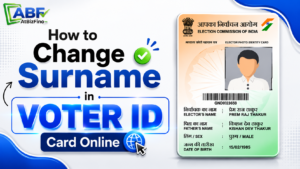
Changing your surname after marriage is important for keeping your documents updated. You can apply online to update your new surname in your Voter ID Card without visiting government offices.
One of the most commonly updated documents is the Voter ID Card, officially known as the EPIC (Elector’s Photo Identity Card). If your surname has changed after marriage, you can easily update it online through the Election Commission of India portal.
Key Highlights for Voter ID Name Change
- Use Form 8 for name correction or surname change in Voter ID.
- The application is generally processed within 2 to 3 weeks.
- Submit valid ID proof and date of birth proof documents.
- Apply online through the NVSP Portal or Voter Helpline App.
- Offline applications can be submitted at the ERO office or through a BLO.
- Track your application online using the reference ID received after submission.
How to Change Surname in Voter ID Card Online?
Here is the complete step-by-step process for changing surname in Voter ID online.
Step 1: Visit the NVSP Portal
Go to the National Voters’ Services Portal to start the surname change process in your Voter ID Card.
Step 2: Login or Register
Use your registered mobile number, email ID, or EPIC number to log in to the NVSP portal. If you do not have an account, register first to proceed further.
Step 3: Select Correction Of Entries
Once you log in to the NVSP portal, click on “Correction in Voter ID” and choose Form 8. You can use this form to correct or update personal information in your voter records.
Step 4: Enter Existing Voter Details
Type your EPIC Number, State, and Assembly Constituency correctly. The details should be the same as your current Voter ID information.
Step 5: Update Your New Surname
Enter your old surname and your new surname after marriage. Make sure the spelling matches your other official documents.
Step 6: Upload Supporting Documents
Upload the copies of your Marriage Certificate, Aadhaar Card, and other required documents. Poor-quality uploads may affect the verification process.
Step 7: Submit the Application
Before submitting, make sure all details and documents are correct. After submission, you will get a reference number to check your application status online.
How to Change Name in Voter ID Card Offline?
You can follow these steps to change your name in the Voter ID Card offline.
- Visit your nearest Electoral Registration Office (ERO) or contact the Booth Level Officer (BLO) to start the offline Voter ID correction process.
- Get Form 8 – Correction of Entries in Electoral Roll from the ERO office or download the Form 8 PDF online for surname or name correction in Voter ID.
- Fill out Form 8 with right details such as your name, EPIC number, address, and other required information.
- Attach self-attested copies of all the required supporting documents along with Form 8.
- Submit the completed form to the officer and keep the application reference number for tracking.
Documents Required to Change Surname in Voter ID Card
To update your surname in the Voter ID Card, you must upload a supporting document with Form 8. The document should contain your corrected or updated name.
1. Marriage Certificate: Use your marriage certificate as proof to update your surname after marriage.
2. Identity Proof: You can upload Aadhaar Card, Passport, PAN Card, or Driving License as valid identity proof. Make sure your new name is clearly visible on the document.
3. Address Proof: If you want to update your address also, upload one valid address proof document. You can use an Electricity Bill, Water Bill, Aadhaar Card, Bank Passbook, or Rental Agreement.
4. Passport Size Photograph : Submit a recent colored passport-size photograph for the application process.
Check Voter ID Name Change Status
Follow these steps to track your Voter ID name correction application status:
- Open the NVSP website
- Click on “Track Application Status”
- Enter your reference number
- Select your State
- Click “Submit”
You will see the status of your application on the screen.
Conclusion
Changing your surname in the Voter ID card after marriage is easy if you have the required documents. You can apply online from home through the Election Commission portal.
Make sure your name and other details match your official documents. Correct information and clear documents help avoid rejection.
After marriage, updating your Voter ID surname is an important step for keeping your identity documents updated.
FAQ
1. How can I change my surname on the Voter ID card online?
You can change your surname online by filling Form 8 on the Election Commission voter portal and uploading supporting documents like a marriage certificate or identity proof.
2. Which form is required for surname change in Voter ID?
Form 8 is used for correction or updating details in the Voter ID card, including surname change.
3. Can I change my surname in the Voter ID after marriage?
Yes, married women can update their surname in the Voter ID card after marriage by submitting valid proof documents.
4. Is marriage certificate mandatory for surname change in Voter ID?
A marriage certificate is commonly required as proof for surname change after marriage.
5. What documents are needed for Voter ID surname change?
Generally required documents include:
- Marriage certificate
- Aadhaar card
- Existing Voter ID
- Passport or PAN card
6. Is there any fee for changing surname in a Voter ID card?
No, the Election Commission does not charge any fee for surname correction or update in Voter ID.
7. How long does it take to update surname in Voter ID?
The process usually takes around 15 to 30 days depending on verification and state election office processing.
8. Can I change both address and surname together in Voter ID?
Yes, you can update multiple details such as surname, address, and relation details through Form 8.
9. Can I apply for Voter ID surname correction through mobile phone?
Yes, you can apply using the Voter Helpline App or the official voter services portal on your mobile device.
10. What is the EPIC number in Voter ID?
EPIC stands for Elector’s Photo Identity Card number, which is the unique voter ID number mentioned on the card.
11. Can I change my surname in the Voter ID without a marriage certificate?
In some cases, alternative legal proof such as Gazette Notification or affidavit may be accepted.
12. How can I track my Voter ID surname change application?
You can track application status online using the reference number received after submitting Form 8.
13. What happens if my surname correction application gets rejected?
You can reapply after correcting errors or uploading proper documents.
14. Why is my Voter ID surname update delayed?
Delays may occur because of document mismatch, election revision periods, or incomplete verification.
15. Can I download updated Voter ID after surname correction?
Yes, once approved, you can download the updated e-EPIC digital voter card online.
16. Is an Aadhaar card necessary for Voter ID surname update?
Aadhaar is not always mandatory, but it is commonly used as identity proof during verification.
17. Can unmarried women change their surname in Voter ID?
Yes, surname correction is allowed for any valid reason with proper supporting documents.
18. Do I need to visit the election office for a surname change?
Usually, online application is sufficient, but physical verification may be required in some cases.
19. Can I edit my name spelling and surname together in Voter ID?
Yes, Form 8 allows correction of complete name details including spelling mistakes.
20. What should I do if my updated surname is printed incorrectly?
You should submit a fresh correction request through Form 8 with accurate details and supporting proof.
How To Transfer a Voter ID Card After Marriage Online?