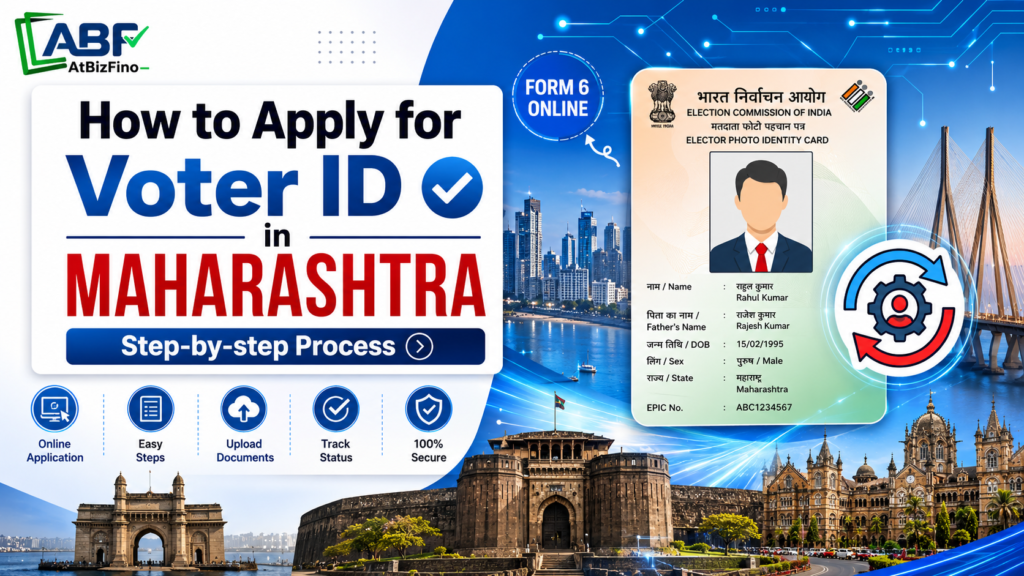
You can apply for a Voter ID in Maharashtra online from your home. Register on the Voters’ Services Portal or the Voter Helpline app, fill Form 6, upload your documents, and submit the form.
You will need a passport-size photograph, an age proof document, and an address proof document. The application process is completely free. After your details are verified by a Booth Level Officer (BLO), your application is usually processed within about 30 days. Once approved, you can download your digital e-EPIC, while the physical Voter ID card is delivered to your address by post.
What Is a Voter ID Card (EPIC)?
A Voter ID card, also known as the EPIC (Elector’s Photo Identity Card), is issued by the Election Commission of India. It allows eligible citizens to vote in elections and serves as a valid proof of identity and address all over India.
Residents of Maharashtra can apply for a Voter ID card through the Voter Services Portal or the Voter Helpline app. The application process is the same for all districts, cities, and villages in the state.
Documents Required for Voter ID in Maharashtra
You will generally need three categories of documents for proof:
| Category | Acceptable Documents (Any One) |
| Photograph | One recent passport-size colour photograph with a plain white background and a clearly visible face |
| Age / Date of Birth Proof | Birth certificate, Class 10 marksheet or certificate, Aadhaar card, PAN card, Indian passport, or driving licence |
| Address Proof | Aadhaar card, latest electricity/water/gas bill, bank or post office passbook, registered rent agreement, or passport |
How to Apply for Voter ID Online in Maharashtra (Step by Step)
You can apply for a Voter ID card online through the Voters’ Services Portal. The CEO Maharashtra website also provides access to the same portal. Here is a step-by-step guide to help you complete the process.
- Open the portal: Go to voters.eci.gov.in, or visit ceo.maharashtra.gov.in and click the Voter Registration / Online Voter Registration option, which redirects you to the national portal.
- Sign up: Click Sign Up, enter your mobile number, email ID, and the captcha, and continue. Set your first name, last name, and a password, then request an OTP.
- Verify and create your account: Enter the OTP sent to your mobile and email to verify, and your login is created.
- Log in: Return to the homepage, click Login, and sign in with your mobile number, password, and OTP.
- Choose New Voter Registration: On your dashboard, find the New registration for general electors section and click Fill Form 6. Select the Indian Resident Elector option. (Overseas Indian citizens use Form 6A instead.)
- Fill Form 6: Enter your personal details, a relative’s details (father, mother, or spouse), contact details, date of birth, full address in your Maharashtra constituency, and the declaration. Select the correct state (Maharashtra), district, and Assembly constituency.
- Upload documents: Attach your photograph, age proof, and address proof as instructed.
- Review and submit: Double-check every field — especially spelling, date of birth, and address then click Submit.
- Save your Reference ID: After submission you receive a Reference ID by SMS and email. Note it down; you will use it to track your application.
Once submitted, your application moves to your local Electoral Registration Officer (ERO), and a Booth Level Officer is usually assigned to verify your address in person.
How to Use Voter Helpline App
If you prefer your phone, the ECI’s official Voter Helpline app offers the same functionality. Download it from the Google Play Store or Apple App Store, then:
- Open the app and accept the disclaimer.
- Tap Voter Registration and choose New Voter Registration (Form 6).
- Register or log in using your mobile number and OTP.
- Fill in the same personal, contact, and address details and upload your documents.
- Submit and save the reference number generated.
The app can also be used to check your name in the voter list, track your application status, and file complaints online.
How to Apply for Voter ID in Maharashtra Offline
Follow these simple steps:
- Visit your Booth Level Officer (BLO) or the nearest Voter Help Centre / Electoral Registration Office.
- Collect and fill Form 6 in physical form. You can also download and print Form 6 from voters.eci.gov.in or the CEO Maharashtra website beforehand.
- Attach self-attested photocopies of your photo, age proof, and address proof.
- Submit the form to the BLO or the help centre. Special enrolment drives are also held in housing societies, wards, and villages, especially before elections.
The BLO then verifies your details, and the rest of the process mirrors the online route your card is dispatched to your registered address by post once approved.
How to Track Your Voter ID Application Status?
After applying through any channel, you can follow your application’s progress.
- Visit voters.eci.gov.in (or open the Voter Helpline app).
- Go to Track Application Status.
- Enter your Reference ID and state, then submit.
You will see one of these stages:
- Submitted — your application has been received.
- Under verification — it is being reviewed.
- BLO assigned — a Booth Level Officer is verifying your details.
- Approved — your application is accepted.
- EPIC generated — your Voter ID card has been issued.
- Rejected — declined due to discrepancies or missing information.
Who Is Eligible to Apply for Voter ID in Maharashtra?
Before applying, confirm that you meet the conditions laid down by the Representation of the People Act. You are eligible if you:
- You must be a citizen of India.
- Are at least 18 years old on the qualifying date for the electoral roll.
- Are an ordinary resident of the constituency in Maharashtra where you want to register meaning you actually live at that address.
- Are not disqualified from voting (for example, a person of unsound mind declared so by a competent court, or someone disqualified under election law).
First-time voters can now register based on four qualifying dates each year: 1 January, 1 April, 1 July, and 1 October. This allows eligible citizens to apply soon after turning 18 instead of waiting for the next annual revision.
If you already have a Voter ID card and have changed your address, use Form 8 to transfer your voter registration. Applying for a new registration while keeping your old voter record active may lead to a duplicate-entry rejection.
How to Download e-EPIC (Digital Voter ID) in Maharashtra
- Once your Voter ID application is approved, you can download your e-EPIC without waiting for the physical card to arrive.
- The e-EPIC is a secure, digitally signed PDF version of your Voter ID card.
- You can download it from the Voters’ Services Portal or the Voter Helpline app.
- Select the “Download e-EPIC” option.
- Enter your EPIC number or application reference number.
- Verify your identity using the OTP sent to your registered mobile number.
- Download and save your e-EPIC PDF.
Important Points
- The e-EPIC is a valid proof of identity.
- You can use it until your physical Voter ID card is delivered.
- The physical card is usually sent by post within 15 to 30 days after approval.
Voter ID Fees and Timeline in Maharashtra
- Fee: Applying for a Voter ID is completely free at every stage. The Election Commission charges nothing, and you should be wary of any agent who asks for money to “process” your application faster.
- Timeline: Most Voter ID applications are completed within about 30 days. After approval, your digital e-EPIC is usually available for download within one day.
If your application has not been updated after 30 days, contact your local election office for help. You can also call the voter helpline number 1950 or file a complaint online.
Common Reasons Voter ID Applications Get Rejected
To avoid delays, make sure all your details are correct. The most common mistakes are:
- Entering details that do not match your documents. Check that your name, date of birth, and address are the same on all documents.
- Uploading unclear or large files. Make sure your photograph and documents are clear and within the allowed file size limit.
- Selecting the wrong Assembly constituency. Make sure the constituency you choose matches the address entered in your application.
- Applying for a new Voter ID when you already have one. Use Form 8 to transfer your voter registration instead of creating a new entry.
- BLO unable to verify your details. Make sure the address provided is correct and that you are available there if verification is required.
Conclusion
Applying for a Voter ID in Maharashtra has become very simple: a few minutes on voters.eci.gov.in, the CEO Maharashtra website, or the Voter Helpline app, the right documents, and Form 6 are all it takes for free. Whether you are a first-time voter turning 18, someone who has moved into the state, or a citizen who simply never enrolled, getting on the electoral roll is the single most important step toward having your voice counted. Apply early, keep your details consistent, save your reference number, and download your e-EPIC as soon as your application is approved.
Frequently Asked Questions (FAQs)
Q: What is the official website to apply for a Voter ID in Maharashtra?
A: The official website for Voter ID services is the Voters’ Services Portal voters.eci.gov.in. You can also use the CEO Maharashtra website ceo.maharashtra.gov.in to access voter registration services.
Q: Which form is used to apply for a new Voter ID?
A: Form 6 is used for new voter registration. Overseas Indian citizens use Form 6A, while corrections and address transfers use Form 8.
Q: Is there any fee to apply for a Voter ID in Maharashtra?
A: No. You do not need to pay anything to apply for a Voter ID card. The entire process is free.
Q: How long does it take to get a Voter ID in Maharashtra?
A: Around 30 days on average, including Booth Level Officer verification and ERO approval. A digital e-EPIC is usually available within about a day of approval.
Q: What is the minimum age to apply for a Voter ID?
A: You must be at least 18 years old on one of the four qualifying dates — 1 January, 1 April, 1 July, or 1 October — for the relevant year.
Q: Can I apply for a Voter ID without Aadhaar?
A: Yes. Aadhaar details are requested but providing them is voluntary, and an application cannot be rejected solely because Aadhaar is not given.
Q: How can I check my Voter ID application status?
A: Use the Track Application Status option on voters.eci.gov.in or the Voter Helpline app and enter your Reference ID.
Q: I moved to a new district in Maharashtra. Should I apply afresh?
A: No. Use Form 8 to transfer your existing registration to your new address to avoid a duplicate-entry rejection.
How To Transfer a Voter ID Card After Marriage Online?How to Apply for Voter ID in Uttar Pradesh?