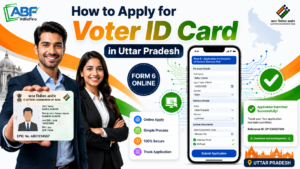
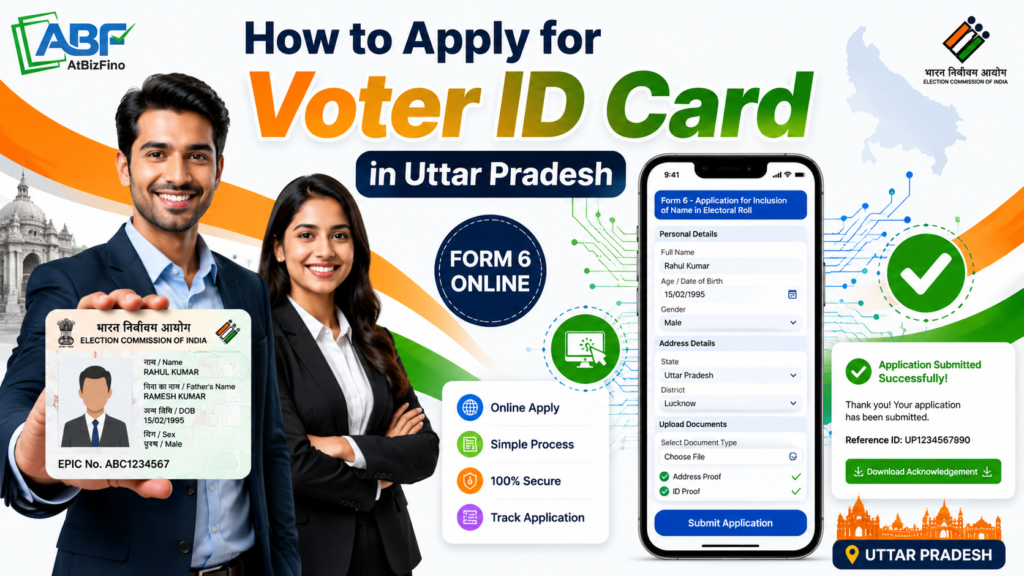
To apply for a Voter ID in Uttar Pradesh, visit the Voters Service Portal or use the Voter Helpline app. Register with your mobile number, log in, and fill out Form 6 for new voter registration.
Upload a passport-size photograph, age proof, and address proof, then submit the application. The service is completely free. After verification by a Booth Level Officer (BLO), your application is usually approved within 30 days.
Once approved, you can download your digital e-EPIC, while the physical Voter ID card will be delivered to your address by post.
Key Points
India now has four qualifying dates in a year — 1 January, 1 April, 1 July, and 1 October. You can register for the electoral roll based on whichever of these dates you first turn 18, instead of waiting a whole year. This change, introduced through amendments to election law, makes it far easier for young first-time voters to enrol on time.
If you already have a Voter ID but have moved within or into Uttar Pradesh, you should use Form 8 to transfer your registration to the new address. Applying afresh through Form 6 while keeping an old entry active can lead to a duplicate-entry rejection, so always transfer rather than double-register.
What Is a Voter ID Card (EPIC)?
A Voter ID card is an important document that allows you to vote in elections. It is issued by the Election Commission of India and contains your photo, address, and EPIC number. It can also be used as identity and address proof for many official purposes.
If you live in Uttar Pradesh, you can easily apply for a Voter ID card online. The application process is the same across the state and can be completed through the Voter Services Portal or the Voter Helpline app.
Documents Required for Voter ID in Uttar Pradesh
Before you apply, make sure you have scanned copies of your documents ready for upload. The files should be clear and preferably under 2 MB in size. You will need one document from each of the following categories:
- One recent passport-size colour photo with a plain white background and a clearly visible face
- Birth certificate, Class 10 marksheet or certificate, Aadhaar card, PAN card, Indian passport, or driving licence
- Aadhaar card, latest electricity / water / gas bill, bank or post office passbook, registered rent agreement, or passport
While filling out the Voter ID application, you may be asked to enter your Aadhaar number. This step is optional and does not affect your eligibility to apply.
To avoid delays, ensure that the details entered in the form such as your name, date of birth, and address are the same as those shown on your uploaded documents.
How to Apply for Voter ID Online in Uttar Pradesh (Step by Step)
The fastest way to apply for a Voter ID card is through the Voters’ Services Portal. It is easy to use and widely used by applicants across India.Here is the full process.
- Open the portal. Go to voters.eci.gov.in in your browser.
- Sign up. Click Sign Up, enter your mobile number, email ID, and the captcha, and continue. Set your first name, last name, and a password, then request an OTP.
- Verify and create your account. Fill the OTP sent to your registered mobile and email to verify, and your login is created.
- Log in. Return to the homepage, click Login, and sign in with your registered mobile number, password, and OTP.
- Choose New Voter Registration. On your dashboard, find the New Voter Registration section and click Fill Form 6. Select the Indian Resident Elector option. (Overseas Indian citizens use Form 6A instead.)
- Fill Form 6. Fill in your personal details, mobile number, date of birth, and address. You must also enter the details of your father, mother, or spouse. Make sure you select the correct district and Assembly constituency in Uttar Pradesh.
- Upload documents. Attach your photograph, age proof, and address proof as instructed.
- Review and submit. Double-check every field, mostly spelling, date of birth, and address — then click Submit.
- Save your Reference ID. After submission you receive a Reference ID by SMS and email. Note it down; you will use it to track your application.
Once submitted, your application moves to your local Electoral Registration Officer (ERO), and a Booth Level Officer is usually assigned to verify your address in person.
How to Apply Using the Voter Helpline App
If you prefer using your smartphone, you can apply through the official Voter Helpline app, which offers the same services as the online portal. Download it from the Google Play Store or Apple App Store, then:
- Open the app and accept the disclaimer.
- Tap Voter Registration and choose New Voter Registration (Form 6).
- Register or log in using your mobile number and OTP.
- Fill in the same personal, contact, and address details and upload your documents.
- Submit and save the reference number generated.
The app also allows you to search for your name in the voter list, track your application status, and submit complaints or requests if needed.
How to Apply for Voter ID Offline in Uttar Pradesh
If you are not comfortable applying online, you can still apply for a Voter ID card offline. Uttar Pradesh provides offline enrolment facilities for eligible voters across the state.
- Visit your Booth Level Officer (BLO) or the local Electoral Registration Office, often located at the tehsil office, which functions as a voter registration centre.
- Collect and fill Form 6 in physical form. You can also download and print Form 6 from voters.eci.gov.in or the CEO Uttar Pradesh website beforehand.
- Attach self-attested photocopies of your photo, age proof, and address proof.
- Submit the form to the BLO or the registration office. Special enrolment drives are also held in panchayats and mohalla committees, especially before elections.
The BLO then verifies your details, and the rest of the process mirrors the online route.
How to Track Your Voter ID Application Status
After applying through any channel, you can follow your application’s progress.
- Visit voters.eci.gov.in (or open the Voter Helpline app).
- Go to Track Application Status.
- Enter your Reference ID and state, then submit.
You will see one of these stages:
- Submitted — your application has been received.
- Under verification — it is being reviewed.
- BLO assigned — a Booth Level Officer is verifying your details.
- Approved — your application is accepted.
- EPIC generated — your Voter ID card has been issued.
- Rejected — declined due to discrepancies or missing information.
How to Download Your e-EPIC?
Once your application is approved, you don’t have to wait for the postman to start using your Voter ID. The e-EPIC is a secure, digitally signed PDF version of your card that you can download from the Voters’ Services Portal or the Voter Helpline app using your EPIC number or reference ID and an OTP. It is a valid identity document and a handy stand-in until your physical card arrives by India Post, typically within 15 to 30 days of approval.
Voter ID Fees and Timeline in Uttar Pradesh
Here are two important things you should remember:
- Fee: Applying for a Voter ID is completely free at every stage. The Election Commission charges nothing, and you should be wary of any agent who asks for money to “process” your application faster.
- Timeline: A new Voter ID application is usually processed within about 30 days. Verification by the Booth Level Officer (BLO) may take around two weeks, followed by approval and card processing. After approval, the digital e-EPIC is often available for download within 24 hours.
If your application is delayed for more than 30 days, contact your local election office for help. You can also call the voter helpline number 1950 or file a complaint online.
Common Reasons Voter ID Applications Get Rejected
To avoid delays, make sure all information is correct before you submit the form. The most common mistakes are:
- Mismatched details between your form and your documents — keep names, dates, and addresses identical to your Aadhaar or other proof.
- Blurry or oversized uploads — use a clear photo and address proof within the size limit.
- Wrong constituency — make sure the address you enter actually falls in the Assembly constituency you select.
- Duplicate entries — if you already appear on a roll elsewhere, use Form 8 to transfer rather than registering anew.
- BLO unable to verify — be reachable at the address you provide, since physical verification is part of the process.
Conclusion
Applying for a Voter ID card in Uttar Pradesh is now quick and easy. All you need is Form 6, the required documents, and a few minutes to complete the application online.
Whether you are turning 18, have recently moved to Uttar Pradesh, or have not registered as a voter before, applying for a Voter ID is an important step. Make sure you enter accurate details, keep your reference number safe, and download your e-EPIC once your application is approved.
Frequently Asked Questions (FAQs)
Q: What is the official website to apply for a Voter ID in Uttar Pradesh?
A: The official portal is the ECI Voters’ Services Portal at voters.eci.gov.in. State-level information is available on the CEO Uttar Pradesh website, ceouttarpradesh.nic.in.
Q: Which form is used to apply for a new Voter ID?
A: Form 6 is used for new voter registration. Overseas Indian citizens use Form 6A, while corrections and address transfers use Form 8.
Q: Is there any fee to apply for a Voter ID in UP?
A: No. Applying for a Voter ID card is completely free. The Election Commission does not charge any fee for voter registration.
Q: How long does it take to get a Voter ID in Uttar Pradesh?
A: Around 30 days on average, including Booth Level Officer verification and ERO approval. A digital e-EPIC is usually available within about a day of approval.
Q: What is the minimum age to apply for a Voter ID?
A: You must be at least 18 years old on one of the four qualifying dates — 1 January, 1 April, 1 July, or 1 October — for the relevant year.
Q: Can I apply for a Voter ID without Aadhaar?
A: Yes. Aadhaar details are requested but providing them is voluntary, and an application cannot be rejected solely because Aadhaar is not given.
Q: How can I check my Voter ID application status?
A: Use the Track Application Status option on voters.eci.gov.in or the Voter Helpline app and enter your Reference ID.
How To Transfer a Voter ID Card After Marriage Online?