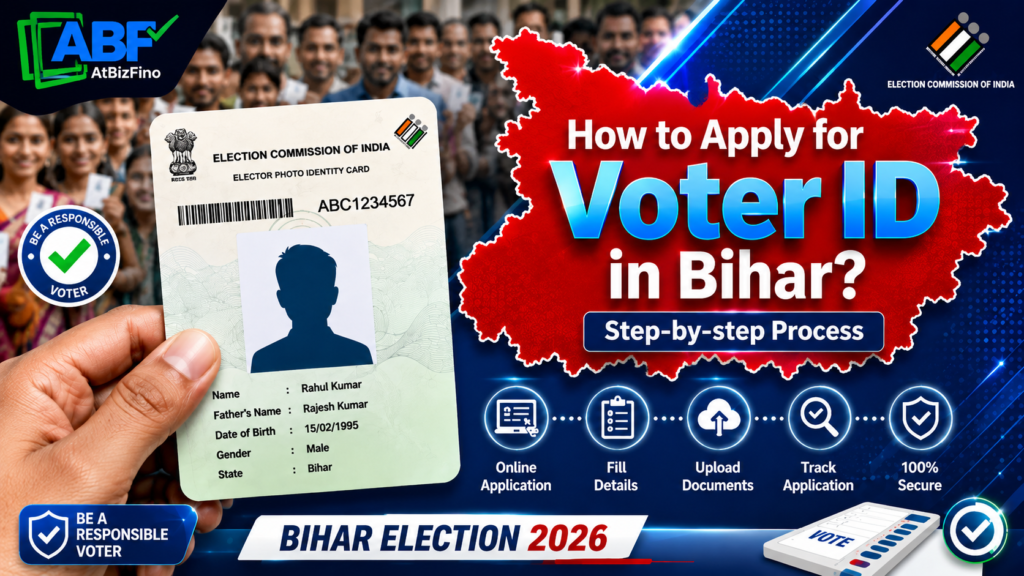
To apply for a Voter ID in Bihar, fill Form 6 online at the official Voters’ Services Portal (voters.eci.gov.in) or the Voter Helpline App, upload your proof of identity, address, and date of birth, and submit. A Booth Level Officer (BLO) verifies your details, and your Voter ID (EPIC) is issued free of cost, usually within 30 days. You can also apply offline by giving Form 6 to your local BLO.
If you are an Indian citizen living in Bihar and you are 18 years or older, you have the right to vote. But to vote, you first need a Voter ID card. This card is officially called the EPIC (Electors Photo Identity Card). The good news is that the process is now simple, free, and mostly online. This guide explains everything in easy words who can apply, what documents you need, how to apply online and offline, and how to check your status.
Who Can Apply for a Voter ID in Bihar? (Eligibility)
Before you apply, check if you meet the basic rules. You can apply for a new Voter ID in Bihar if you:
- Must be a citizen of India.
- Must be 18 years of age or older as on the 1st of January of the year you apply.
- Are an ordinary resident of the constituency in Bihar where you want to register.
- Are not already registered as a voter anywhere else (you cannot be enrolled in two places at once).
First-time voters who are about to turn 18 can also apply in advance. If your name is removed from one place because you moved, you must register fresh in your new area.
Documents Required to Apply for Voter ID in Bihar
When you fill Form 6, you need to upload or attach a few documents. These fall into three groups, plus a photo.
| Category | Accepted Documents / Requirements |
| Proof of Identity (Any One) | Aadhaar card, PAN card, Passport, Driving licence, Government-issued photo ID, or Bank passbook with photo |
| Proof of Address (Any One) | Aadhaar card (most preferred), latest electricity/water/gas/telephone bill, Bank or Post Office passbook, Passport, Driving licence, Rent agreement, or Ration card |
| Proof of Date of Birth (Any One) | Birth certificate, Class 10 mark sheet or certificate, Aadhaar card, PAN card, or Passport |
| Photograph | One recent passport-size colour photograph with a white background. The face must be clearly visible, eyes open, and facing the front. |
Note: Giving your Aadhaar number is voluntary, not compulsory. If you do not have one document, you can use another from the same list.
How to Apply for Voter ID in Bihar Online (Step by Step)
If you want to get your Voter ID card quickly, applying online is the best option. Here is the complete step-by-step process:
Method 1: Apply Through the Voters’ Services Portal
Step 1: Open the official website voters.eci.gov.in on your phone or computer.
Step 2: If you are a new user, click Sign Up and create an account using your mobile number and email. If you already have an account, log in with your mobile number, password, and the OTP sent to your phone.
Step 3: On the dashboard, find New Voter Registration and click Fill Form 6.
Step 4: Choose your State (Bihar), district, and Assembly constituency.
Step 5: Enter your personal details — your full name, date of birth, gender, and your father’s, mother’s, or spouse’s name.
Step 6: Fill in your current residential address in Bihar.
Step 7: Upload your documents: proof of age, proof of address, and your passport-size photo.
Step 8: Click Preview and check every detail. A small mistake can delay or reject your form.
Step 9: Enter the captcha code and click Submit. You will get a reference number on the screen and on your phone. Save it — you will use it to track your application.
Method 2: Apply Through the Voter Helpline App
If you prefer your mobile phone, the Voter Helpline App is the easiest option.
- Download the Voter Helpline App from the Google Play Store (Android) or App Store (iPhone).
- Open the app and accept the terms.
- Register or log in using your mobile number and OTP.
- Tap New Voter Registration (Form 6).
- Fill in the same details and upload the same documents as listed above.
- Submit and note your reference number.
Both methods are free. There is no fee to apply for a Voter ID in Bihar.
How to Apply for Voter ID in Bihar Offline
If you do not have internet access or are not comfortable applying online, you can still apply offline. This is common in many villages and small towns in Bihar.
Step 1: Visit your nearest Booth Level Officer (BLO), the Electoral Registration Office, or the local Tehsil/SDM office. You can also get Form 6 from the CEO Bihar website (ceoelection.bihar.gov.in) and print it.
Step 2: Fill the form by hand in clear writing. Add your name, date of birth, parent’s or spouse’s name, full address, and constituency details.
Step 3: Attach photocopies of your identity, address, and age proof, along with one passport-size photo.
Step 4: Submit the form to your BLO or the Electoral Registration Officer (ERO).
Step 5: Collect your acknowledgement slip with the reference number for tracking.
During the Special Intensive Revision (SIR) drives, BLOs also visit homes door-to-door and hand out forms, so many people in Bihar can register without even leaving their house.
What Happens After You Submit Form 6?
After your form is submitted, it goes through the following process:
- Verification: The Booth Level Officer (BLO) checks your details. The officer may visit your home to confirm your address and identity.
- Approval: If everything is correct, the Electoral Registration Officer (ERO) approves your application.
- Name added to the voter list: Your name is added to the electoral roll of your area in Bihar.
- EPIC issued: Your Voter ID card (EPIC) is printed and is usually issued within about 30 days. It may be delivered to your registered address by post.
You can also download a digital copy called the e-EPIC from the portal once your card is approved.
How to Check Voter ID Application Status in Bihar
You can check the status of your application at any time using your reference number.
- Go to voters.eci.gov.in or open the Voter Helpline App.
- Log in with your mobile number and OTP.
- Click Track Application Status.
- Enter your reference ID number and click Submit.
- Your current status will appear on the screen such as “Under Verification,” “BLO Appointed,” or “Accepted.”
You can also call the national voter helpline number 1950 for help (add your STD code while calling from outside the state).
How to Check Your Name in the Bihar Voter List
Getting a Voter ID card is not enough. Before an election, make sure your name is in the voter list by following these steps:
- Visit electoralsearch.eci.gov.in or the CEO Bihar website.
- Search by your EPIC number, or by your name and details (state, district, constituency, date of birth).
- Your details, polling booth, and part number will be shown if your name is on the roll.
This step is important. Many people have a card but find their name missing from the list on voting day. Checking early gives you time to fix any problem.
Other Voter ID Forms You Should Know
Form 6 is only for new voters. For other needs, the Election Commission uses different forms:
- Form 6A: For NRIs (Indian citizens living abroad who have not taken foreign citizenship).
- Form 7: To remove or object to a name in the voter list (for example, after a death or a duplicate entry).
- Form 8: To correct details, shift your address, replace a lost card, or mark a Person with Disability (PwD).
So, if you have moved within Bihar or to another state, you may need Form 8 (for shifting) or a fresh Form 6 in your new constituency.
Common Mistakes to Avoid
- Wrong spelling of name or address — always match it with your documents.
- Blurry photo — use a clear, front-facing photo with a white background.
- Applying twice — submitting more than one form can cause rejection.
- Not tracking your status — check regularly so you can fix issues fast.
- Ignoring the BLO visit — be available or keep documents ready for verification.
Conclusion
Getting a Voter ID in Bihar is simple, fast, and free. Whether you choose the online route through voters.eci.gov.in and the Voter Helpline App, or the offline route through your Booth Level Officer, the steps are easy to follow. Just keep your documents ready, fill Form 6 carefully, and track your status with the reference number.
Your vote is your voice. By registering as a voter, you take part in choosing the future of Bihar. So if you are eligible and not yet registered, apply today and make sure your name is on the voter list before the next election.
Frequently Asked Questions (FAQs)
1. How can I apply for a new Voter ID card in Bihar?
Fill Form 6 online at voters.eci.gov.in or on the Voter Helpline App, upload your identity, address, and age proof, and submit. You can also apply offline through your local BLO. The service is free.
2. Is there any fee to apply for a Voter ID in Bihar?
No. Applying for a Voter ID through Form 6 is completely free. The card (EPIC) is also issued at no cost.
3. What documents are required for a Voter ID in Bihar?
You need proof of identity, proof of address, proof of date of birth, and one passport-size colour photo. Aadhaar, PAN, passport, birth certificate, Class 10 mark sheet, and utility bills are commonly accepted.
4. How many days does it take to get a Voter ID in Bihar?
After verification by the BLO and approval by the ERO, your Voter ID is usually issued within about 30 days of applying.
5. Can I apply for a Voter ID in Bihar without Aadhaar?
Yes. Giving your Aadhaar number is voluntary. You can use any other valid document for identity and address proof.
6. What is the minimum age to apply for a Voter ID in Bihar?
You must be 18 years or older as on the 1st of January of the year you apply. First-time voters turning 18 can apply in advance.
7. How do I check my Voter ID application status in Bihar?
Log in to voters.eci.gov.in or the Voter Helpline App, click Track Application Status, and enter your reference ID to see the current stage.
8. How can I download my Voter ID card (e-EPIC) in Bihar?
Once your application is approved, log in to the Voters’ Services Portal, go to the e-EPIC download section, and download the digital version of your card.
9. I have moved to a new place in Bihar. Do I need to apply again?
If you shift within or outside your constituency, use Form 8 to change your address, or file a fresh Form 6 in your new area. Your old entry can be removed using Form 7.
10. What should I do if my Voter ID application is rejected?
You can ask the ERO for the reason for rejection. Common reasons are address verification failure or document mismatch. Fix the specific issue and apply again with correct details.
How To Transfer a Voter ID Card After Marriage Online?How to Apply for Voter ID in Uttar Pradesh?
How to Apply for Voter ID in West Bengal?