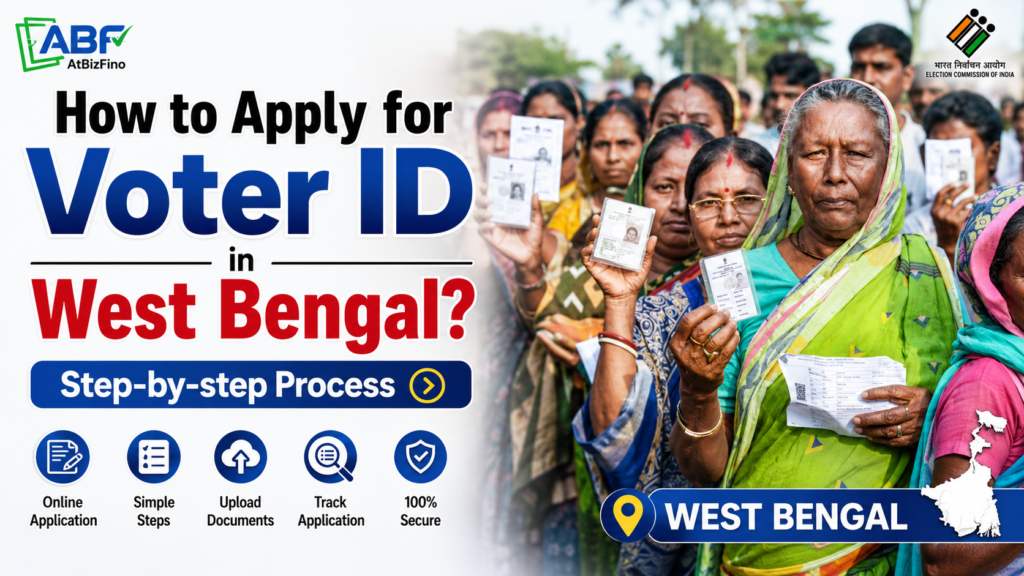
If you are 18 years or older and live in West Bengal, you can apply for a Voter ID in West Bengal online or offline. The application process is free and can be completed through Form 6.
A Voter ID card allows you to vote in elections and is also widely accepted as proof of identity and address. In this guide, you will learn how to apply for a Voter ID in West Bengal, the documents you need, how long the process takes, and how to download your eEPIC after approval.
Who Can Apply for a Voter ID in West Bengal?
Before you start your West Bengal voter registration, make sure you meet the basic eligibility rules set by the Election Commission of India:
- Citizenship: You must be a citizen of India.
- Age: You must be 18 years or older on the qualifying date. The qualifying dates are 1 January, 1 April, 1 July, and 1 October of the year. If you turn 18 by any of these dates, you can apply in advance.
- Residence: You must be an “ordinary resident” of the constituency in West Bengal where you want to register.
- No disqualification: You should be eligible to vote and not be restricted from voting under the law.
Documents Required to Apply for Voter ID in West Bengal
Before filling out Form 6, keep all required documents ready. You will need documents from three categories.
| Document Type | Examples Accepted |
| Photograph | One recent passport-size colour photograph |
| Age / Date of Birth Proof | Birth certificate, Class 10 or 12 marksheet/certificate showing date of birth, PAN card, Indian passport, driving licence, or Aadhaar card |
| Address Proof | Aadhaar card, electricity/water/gas bill (at least one year old), bank passbook, rent agreement, or Indian passport |
How to Apply for Voter ID Online in West Bengal (Form 6 )?
Applying online is the fastest and easiest method to apply Voter ID in West Bengal . Follow these steps carefully.
Step 1 – Visit the official portal. Open your web browser and go to the official Voters’ Service Portal at voters.eci.gov.in. This is the official website of the Election Commission of India. Avoid third-party or fake websites that ask for money, because Voter ID registration is always free.
Step 2 – Sign up or log in. Click on “Login / Register” on the homepage. If you are a first-time user, create an account using your mobile number or email ID. Verify it with the one-time password (OTP) sent to you. If you already have an account, simply log in.
Step 3 – Select New Voter Registration. After logging in, click on “New Voter Registration (Form 6 )”. Form 6 is the standard form used by all first-time applicants across India, including West Bengal residents.
Step 4 – Fill in your details. Enter your full name, date of birth, gender, and details of any family member already on the voter list. Provide your current residential address in West Bengal and carefully choose the correct Assembly constituency from the dropdown menu.
Step 5 – Upload your documents. Upload your passport-size photograph, age proof, and address proof. Make sure the files are clear and within the size limit shown on the portal.
Step 6 – Review and submit. Check every field once more. Small mistakes at this stage can delay your application. When everything looks correct, click “Submit”.
Step 7 – Save your reference number. After submission, the portal shows a unique reference number. Note it down or take a screenshot. You will need this number to track your Voter ID application status later.
You can also start the process from the Chief Electoral Officer (CEO) West Bengal official website by choosing the “Register Online or Download Forms” option under the Electors section.
How to Apply for Voter ID Using the ECINET App?
The Election Commission has launched the ECINET app , a single mobile platform for all voter services. It is free to download from the Google Play Store and Apple App Store. Earlier services from the Voter Helpline App are now part of this app.
To apply through ECINET:
- Download and install the ECINET app on your smartphone.
- Register or log in using your mobile number and verify with OTP.
- Tap on “New Voter Registration” and open Form 6.
- Fill in your personal and address details correctly.
- Upload your photo and supporting documents.
- Submit the form and save the reference number to track your status.
The app is handy because you can also search the electoral roll, check your polling booth, and download your e-EPIC from the same place.
How to Apply for Voter ID Offline in West Bengal?
If you are not comfortable applying online, you can still register offline. This method is popular in rural areas and among first-time applicants.
Step 1 – Collect Form 6. Visit your nearest Electoral Registration Office (ERO), Assistant ERO, or Booth Level Officer (BLO). You can collect two copies of Form 6 free of charge. Form 6 can also be downloaded from your district’s official government website.
Step 2 – Fill the form. Complete the form carefully. Include your full name, place of birth, parent’s or spouse’s name, current address, constituency, and details of family members already on the voter list.
Step 3 – Attach documents. Attach photocopies of your age proof, address proof, and one passport-size photo.
Step 4 – Submit the form. Submit the filled Form 6 with documents to the ERO/Assistant ERO in person, send it by post, or hand it to your area’s Booth Level Officer.
Step 5 – Verification. A Booth Level Officer (BLO) will verify your details, and may visit your home to confirm the information. After successful verification, your name is added to the
electoral roll.
You can also call the national voter helpline 1950 for any help during the process.
How to Check Voter ID Application Status in West Bengal?
After applying, you will want to know whether your application is approved. Here is how to check your Voter ID status in West Bengal online:
- Visit voters.eci.gov.in or open the ECINET app.
- Click on “Track Application Status”.
- Enter your reference number and the state (West Bengal).
- Submit to see the current stage of your application.
The status moves through stages such as “submitted”, “under verification by BLO”, and “accepted”. If it shows acceptance, your name is on the roll and your card is on the way.
How to Download Your Voter ID Card (e-EPIC) in West Bengal?
After your application is approved, you can easily download your eEPIC, which is the digital version of your Voter ID card. It is a secure PDF version of your card and is accepted as valid ID.
To download the e-EPIC:
- Log in to voters.eci.gov.in or the ECINET app.
- Click on the “e-EPIC Download” option.
- Enter your EPIC number or reference number.
- Verify with the OTP sent to your registered mobile number.
- Download and save the PDF. You can print it for your records.
Voter ID Forms in West Bengal: Quick Summary
The Election Commission uses different forms for different purposes. Knowing the right form saves time.
| Form | Purpose |
| Form 6 | New voter registration (first-time applicants) |
| Form 6A | Registration for NRI (overseas) voters |
| Form 7 | Objection to inclusion of a name in the electoral roll or request for deletion of a name |
| Form 8 | Correction of details, shifting of residence, replacement of EPIC (Voter ID card), or marking as a Person with Disability (PwD) |
Important Tips for Fast Voter ID Approval in West Bengal
- Apply as early as possible and do not wait until an election is announced.
- Make sure your personal details match your documents to avoid delays in verification.
- Upload clear and readable copies of all required documents.
- Keep your mobile number active, as election officials may contact you during the verification process.
- Save your application reference number to track your application status.
- Do not pay any agent or third-party website for voter registration services.
- Voter registration is always free.
Is There a Last Date to Apply for Voter ID in West Bengal?
There is no fixed last date to apply for a Voter ID in West Bengal. You can apply throughout the year. However, to vote in a specific election, you must apply before the electoral rolls are frozen for that election. The Election Commission announces a cut-off date close to election dates, so it is always safer to apply early rather than wait.
Conclusion
The Voter ID application process in West Bengal is simple, free, and accessible to all eligible citizens. By completing Form 6 online or offline and submitting the required documents, you can easily register as a voter and obtain your Voter ID in West Bengal.
Remember to track your application status, verify your name in the electoral roll, and download your e-EPIC once it is available. Being registered to vote helps ensure that you can exercise your voting rights whenever elections are held.
Frequently Asked Questions (FAQs)
1. How can I apply for a Voter ID in West Bengal online?
Visit voters.eci.gov.in or use the ECINET app, log in with your mobile number, select New Voter Registration, fill Form 6, upload your documents, and submit. You will get a reference number to track your application.
2. What is the minimum age to apply for a Voter ID in West Bengal?
You must be 18 years or older on the qualifying date ( 1 January, 1 April, 1 July, or 1 October). You can apply in advance if you turn 18 by any of these dates.
3. Is there any fee to apply for a Voter ID in West Bengal?
No. Applying for a Voter ID card in West Bengal is completely free. Never pay any agent or unofficial website.
4. Which form is used for new Voter ID registration? Form 6 is used for new voter registration. Form 6 A is used by NRI (overseas) voters.
5. What documents are required to apply for a Voter ID in West Bengal? You need one passport-size photograph, an age/date of birth proof (like a birth certificate, Class 10 marksheet, or Aadhaar), and an address proof (like Aadhaar, a utility bill, or bank passbook).
6. How can I check my Voter ID application status in West Bengal?
Go to voters.eci.gov.in or the ECINET app, click “Track Application Status”, and enter your reference number to see the current stage.
7. How long does it take to get a Voter ID in West Bengal?
After verification by the Booth Level Officer, it usually takes a few weeks for your name to be added to the electoral roll. You can download the e-EPIC once approved.
8. Can I download my Voter ID card online?
Yes. After approval, log in to voters.eci.gov.in or the ECINET app, choose e-EPIC Download, verify with OTP, and download the PDF copy.
9. Can I apply for a Voter ID offline in West Bengal?
Yes. Collect Form 6 from your local ERO or Booth Level Officer, fill it, attach document copies, and submit it in person or by post. A BLO will verify your details.
10. What should I do if my name is not in the electoral roll?
If your name is missing, you can fill Form 6 and submit it to your Booth Level Officer or apply online at voters.eci.gov.in or the ECINET app to get your name added.
How To Transfer a Voter ID Card After Marriage Online?How to Apply for Voter ID in Uttar Pradesh?
How to Apply for Voter ID in Maharashtra?